Unified communications

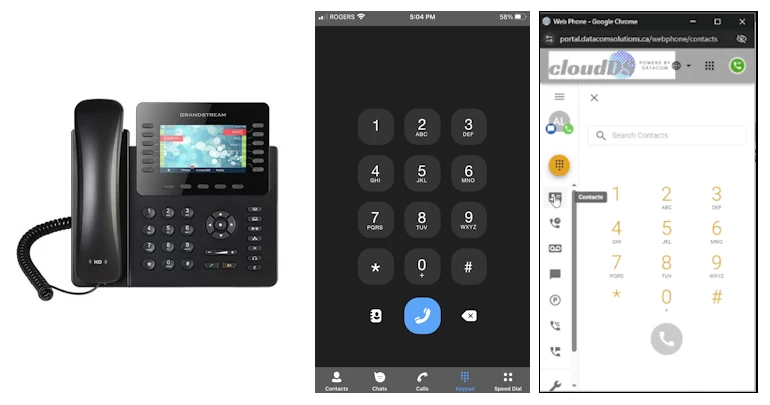
Unified Communication is a modern way of running your business phones and messaging. It combines your phone system, voicemail, team chat, SMS, and presence into one cloud platform. Your staff can call, message, and collaborate from the office, at home, or on the road—always using the same business number, with all activity managed and logged in one place. This means fewer missed calls, faster response times, and simpler management for your business.


With cloudDS Unified Communication

Your team can:


  • Make and receive calls from desk phones, web browsers, or mobile apps
  • Chat internally and text customers using your business numbers
  • See who’s available in real time and manage voicemail, greetings, and call routing from anywhere

Instead of multiple tools and disconnected lines, cloudDS gives you one unified communication platform for your whole company.

Enterprise Call Features

Professional Call Handling for Any Size Team

A full suite of call features that let even small businesses operate like a professional call center or corporate office.

Key capabilities

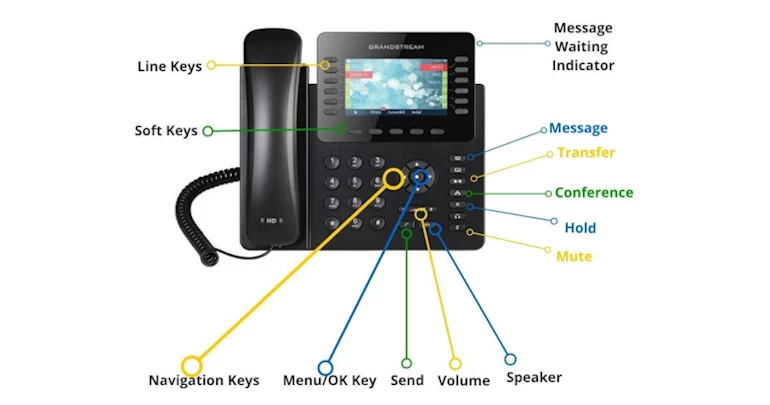
  • Call forwarding, hold, call park, transfer, blocking, and screening
  • Visual voicemail, voicemail-to-email, and voicemail transcription
  • Call recording, and call history
  • Conference calling for internal or external meetings
  • Emergency assistance (911) support
  • Microsoft Teams integration (additional licences required)


Advantages

  • Ensures callers reach the right person, faster, which boosts trust and reduces frustration
  • Voicemail-to-email and transcription allow quick follow-ups, so fewer opportunities slip away
  • Conference and collaboration features support faster decision-making and sales cycles

Advanced Softphone

Your Extension in Your Pocket

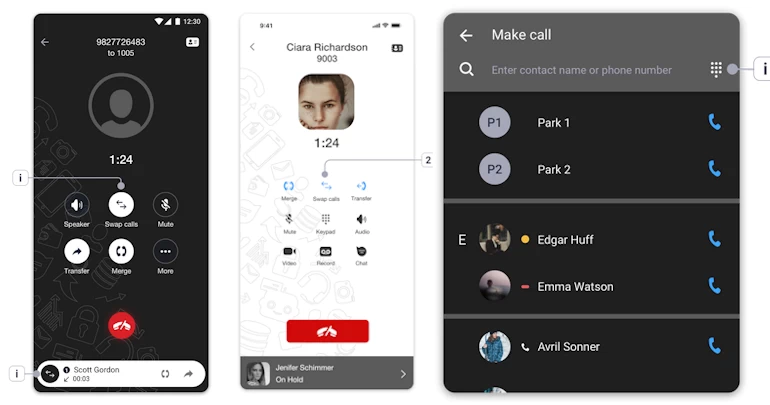
The Advanced Softphone turns any smartphone, tablet, or computer into a full business phone extension.

Key capabilities

  • Apps for iOS, Android, and desktop
  • Calling over Wi-Fi or 5G/LTE
  • Push notifications for incoming calls so you don’t miss business calls
  • Business caller ID masking to keep personal numbers private
  • Advanced call handling: transfer, hold, 3-way calling
  • Voicemail access, custom greetings, and presence indicators


Advantages

  • Lets staff work from anywhere while still presenting a single, professional business identity
  • Makes it easy to hire remote workers or expand into new regions without local phone hardware
  • Reduces missed calls by making every staff member reachable on their own devices in a controlled, professional way

Chat & SMS Integration

Business Messaging That Lives With Your Phone System

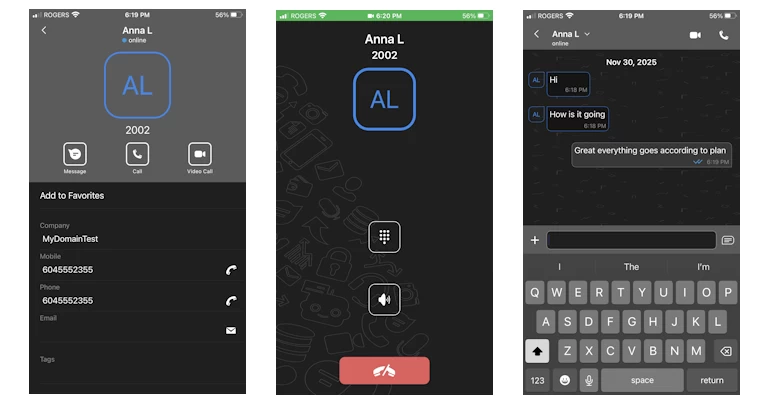
Chat and SMS are built into the platform so your team can message internally and text customers using your business numbers instead of personal phones.

Key capabilities

  • Business texting from desktop and mobile
  • Use your business phone number for SMS
  • Presence indicators to see who’s available to respond
  • Push and email notifications for new messages
  • Internal chat for quick team communication
  • SMS support for most North American numbers (as an add-on feature)


Advantages

  • Keeps customer conversations centralized and auditable, instead of spread across personal phones
  • Speeds up response times, improving customer experience and retention
  • Enables modern workflows like appointment reminders, quick confirmations, and follow-ups via SMS, which leads to more completed bookings and fewer no-shows

Admin & Management Tools

Control Everything From a Single Unified Portal

cloudDS provides portals for administrators and end-users to manage the system without needing a telecom engineer.


Key capabilities

  • Admin & User Portals with role-appropriate controls
  • Hunt groups to route calls through teams or departments
  • Auto attendants (“Press 1 for Sales, 2 for Support…”)
  • Schedules and time frames to manage business hours and routing rules
  • Call logs and statistics for visibility into call volume and performance
  • Call History with AI Sentiment Analysis: Learn about customer sentiment analysis and how you can use it to provide a better customer experience (addon feature)


Advantages

  • Keeps customer conversations centralized and auditable, instead of spread across personal phones
  • Speeds up response times, improving customer experience and retention
  • Enables modern workflows like appointment reminders, quick confirmations, and follow-ups via SMS, which leads to more completed bookings and fewer no-shows

Additional Tools

Fax, Music on Hold, and Numbers That Fit Your Brand

Extra tools that integrate with your phone system to support legacy needs and brand presentation.


Key capabilities

  • Internet fax via web and email (no physical fax line required)
  • Music and messages on hold—play promotions, updates, or branding while callers wait
  • Toll-free numbers to present a national image
  • Local numbers in different regions to establish local presence


Advantages

  • Lets you modernize without breaking workflows that still depend on fax
  • Use hold time as a marketing channel for promotions or information
  • Toll-free and local numbers give you an instant footprint in new markets, supporting expansion and campaigns

Custom Integrations

cloudDS doesn’t just replace your phone lines – it connects your calls to the rest of your business.

From general CRMs, Microsoft Teams, specific industries like Automotive, Booking, Colaboration, to Dental, Education and Financial, cloudDS supports them all


Key capabilities

  • Keep your existing CRM and workflows
  • Roll cloudDS out across multiple departments, even if they use different tools
  • Consolidate reporting by pushing call data into your BI or data warehouse
  • Add new tools later without rebuilding your phone integration from scratch
  • “Whether you live in Salesforce, HubSpot, Dynamics, Zoho, or a vertical CRM
    cloudDS fits into your stack instead of forcing you to change it.”


Advantages

  • One cloudDS platform that integrates with 100+ CRMs and databases, rather than brittle, one-off phone integrations.
  • Fewer separate vendors to manage; simplified support.
  • If the company switches CRMs later, they keep the same phone backbone.
  • Centralized control over who can see what, how recordings are used, and where data lives.

Asks one of our representative to give you the specific option that applies to your needs

Let's discuss about how we can help
make your business better